|
1. |
Select .
|
||
|
2. |
Open the detailed view by double-clicking on the message or by clicking on |
||
|
|
|||
|
3. |
The upper mask area displays the current processing status of the order with the action performed and the result. If supplied by the bank server, additional information on the order is displayed in the lower mask area. |
||
|
4. |
To export the order data to a file, select one of the following buttons in the top area of the mask: The additional information is not exported. |

 in the column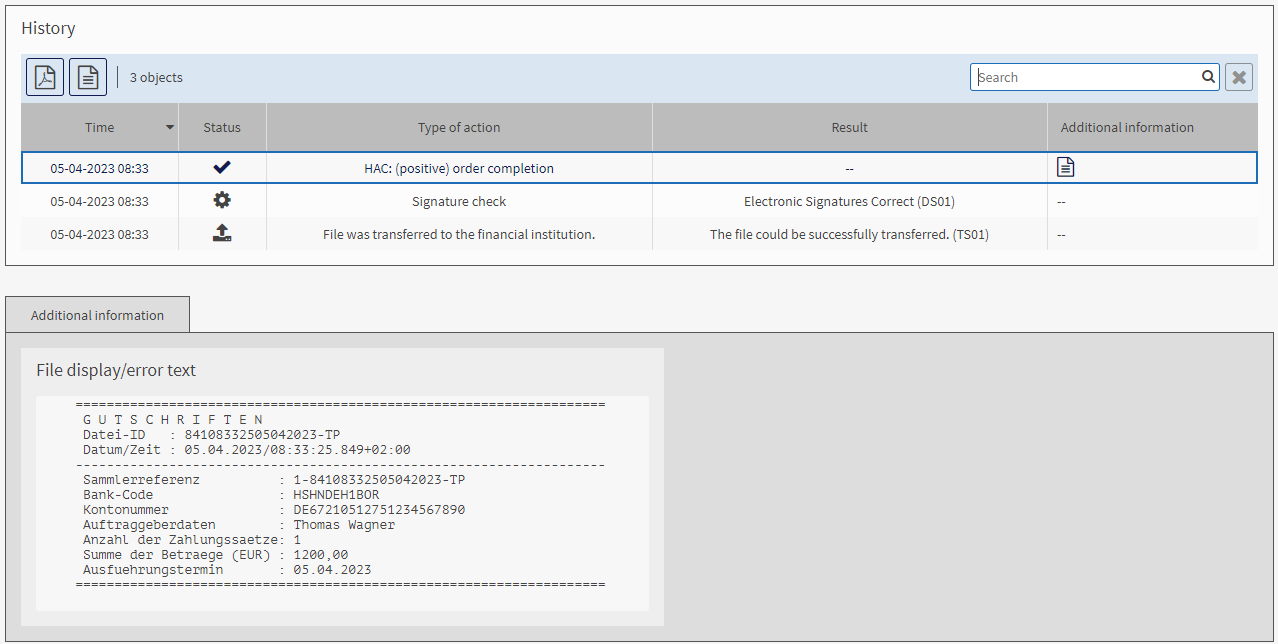
 : You export the order data to a PDF.
 : You export the order data to a CSV file.