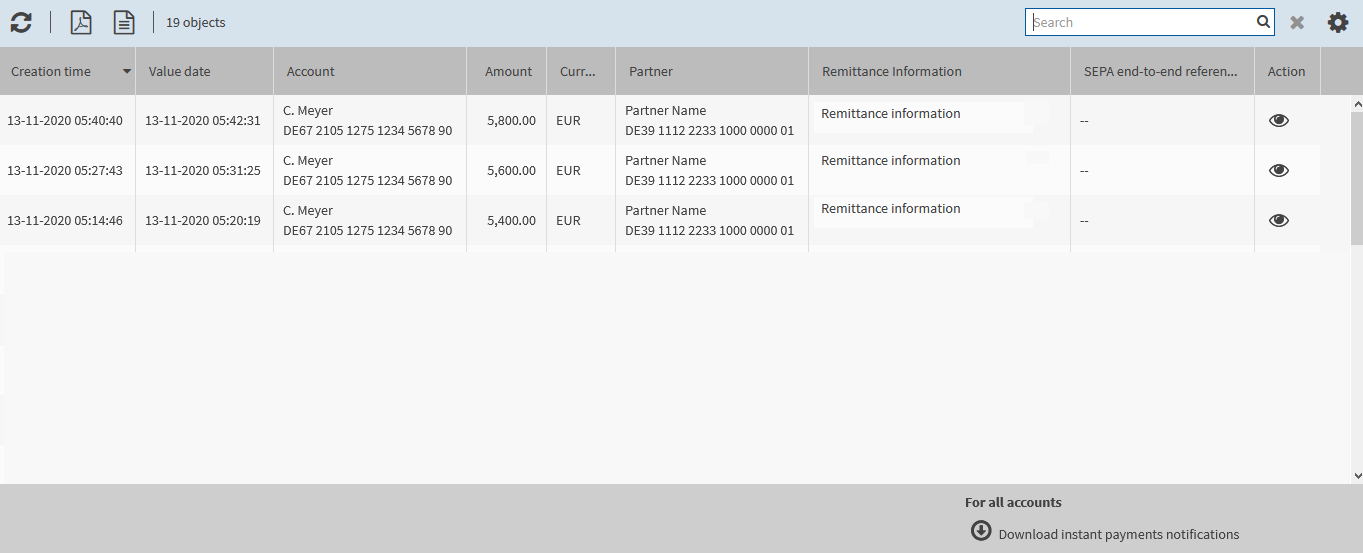
The overview mask in the menu item provides an initial overview of received instant payments notifications.
If your bank access is configured accordingly, you will be notified interactively about incoming instant payments notifications. In addition, the number of unread instant payments notifications is displayed at the menu item. The number is displayed both at the menu item Account information and at the submenu item Instant payments notifications.
The masks of the menu item Instant payments notifications offer the following options:
|
|
Viewing the overview of instant payments notifications |
|
|
Refreshing instant payments notifications |
|
|
Displaying the details of instant payments notifications |
|
|
Exporting information on instant payments notifications |
|
Instant payments notifications remain in the overview as long as the booking is assigned to an account statement at your financial institution. In that case, you will find the booking in the menu via double-click on the recipient account. |

If new instant payments notifications are downloaded, the number at the menu item is updated.
To update the overview mask, click on Download instant payments notifications.
The following figure illustrates an example of an overview mask: